Building a 3D Pixel-Art Bonfire in the Terminal: Raymarching, Cellular Automata Fire, and ANSI TrueColor Sub-Pixels
Table of Contents▼
- AFK at the Bonfire: How the Idea Started
- The Bonfire as a Study Anchor
- Visual Architecture: Doing Everything in 1.8 Milliseconds
- The Mathematics of the 3D Camera & Geometry
- Why Low-Poly 3D Isn't Pixel Art (The G-Buffer)
- Thermodynamics: Why Fire Needs Depth
- Sub-Character Resolution: The 24-bit Half-Block ANSI Trick
- Audio from First Principles: The Pipe Buffer and the 503 Hz Ghost
- The Bug That Stole 9 Terminal Columns
- Performance Benchmarks & Headroom
- Experiments, Playdate, and Building for Fun
AFK at the Bonfire: How the Idea Started
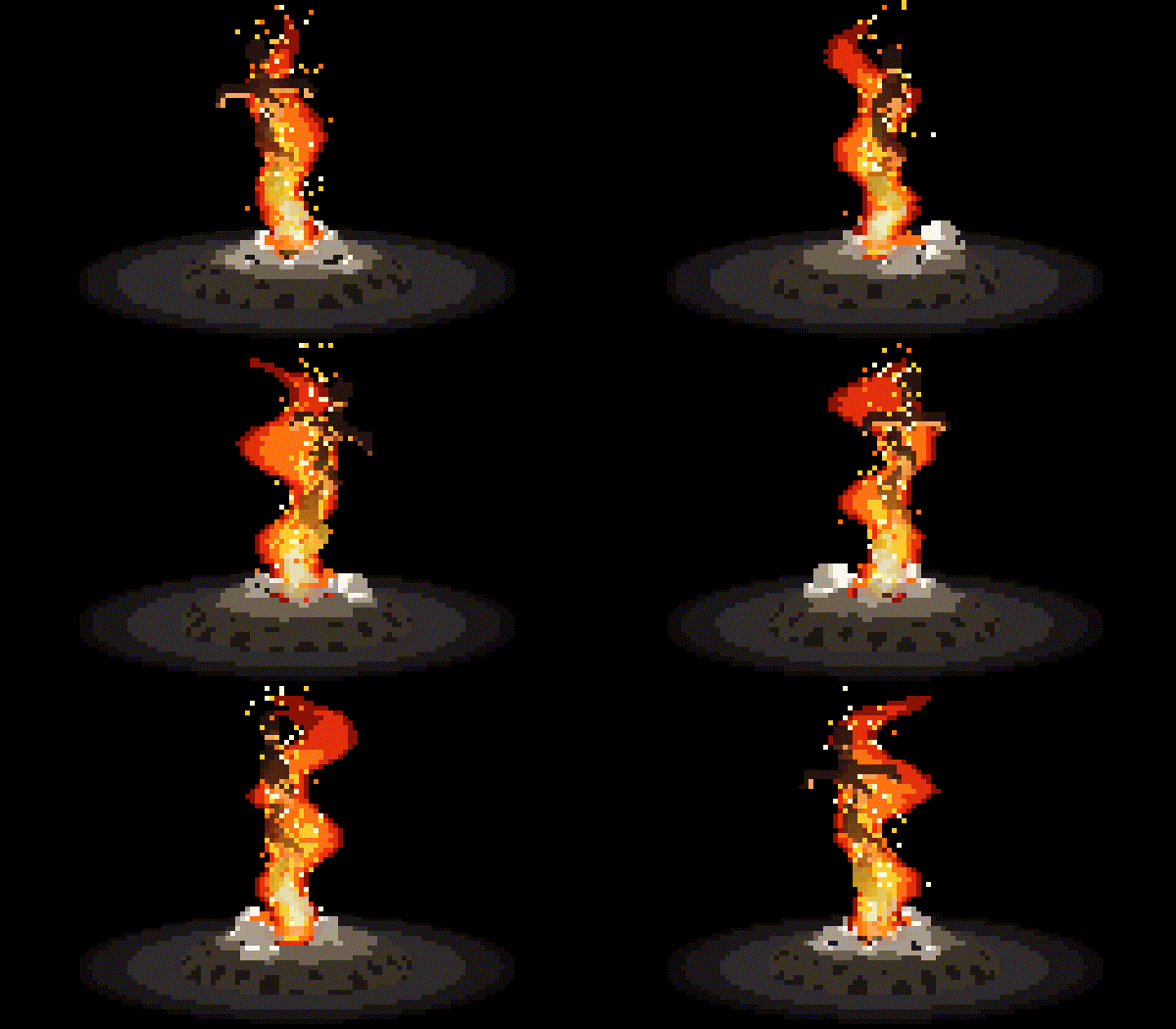
If you look at how I spend my time, two things stand out immediately: I am an addicted Soulslike player, and I follow my daily study schedule strictly to the letter.
Whenever I was playing Dark Souls and study time arrived, I had a specific habit: instead of shutting down the game, I would rest my character at the nearest bonfire, leave it AFK with the crackling fire sound echoing in the background, jump into a Discord call with friends, and spend a full hour reviewing technical questions, computer science fundamentals, and exercises before picking up the controller again.
That bonfire wasn't just a checkpoint in Lordran; it became the anchor of my study routine. Eventually I asked myself: why not bring that exact feeling straight into my development terminal?
To be clear: I didn't build this project to fight against modern frameworks or make any grand statement. I built it purely for fun, curiosity, and the joy of experimenting. At the time, I was studying 3D software rendering from first principles and prototyping graphics ideas for a game I'm developing for the Panic Playdate handheld. A terminal bonfire was the perfect playground.
The Bonfire as a Study Anchor
In Dark Souls, the bonfire is the ultimate sanctuary. It is the only place in a punishing world where you can rest, reset, refill your flasks, and plan your next move. Bringing that ritual into a terminal timer made total sense for long study and coding sessions.
Instead of an annoying buzzer or a generic countdown, the entire lifecycle is modeled through the state and physics of the fire itself:
- Unlit State: The bonfire sits cold and dormant — the coiled sword thrust into a bed of charred ash and bone.
- Ignition (`[E]` / `Space`): Kindling the flame triggers a radial spark burst, plays the iconic Dark Souls chime, and burns the golden banner 'BONFIRE LIT' across the terminal.
- Focus Phase: The fire roars with turbulent buoyancy, shedding embers and casting dynamic heat across the hearth as you work.
- Rest Phase: When study time is up, the flame settles into glowing crimson embers (
FIRE_STATE_SMOLDERING_REST), signaling that it's time to take a breath.
Visual Architecture: Doing Everything in 1.8 Milliseconds
When I started coding this, I wanted it to run at a locked 60 FPS in any terminal without burning CPU or draining my laptop battery. At 60 FPS, you have roughly 16.6 milliseconds per frame.
The engine ends up executing in around 1.8 ms, split across five clean stages:
Simulation Update (Combustion, Particles, Gravity Collapse)
       │
       ▼
3D Raymarching & Rasterization (Camera Transform, G-Buffer Fill)
       │
       ▼
Pixel-Art Quantization (Depth Discontinuity Outlines, Palette Shading)
       │
       ▼
Cellular Automata Fire Layer (Convection, Wind, Flame Decay)
       │
       ▼
ANSI Frame Buffer Generator (Half-Block '▀', 24-bit RGB Pairing)
       │
       ▼
Single atomic write() to TTY stdout
The Mathematics of the 3D Camera & Geometry
Spherical Orbit Coordinate Transform
Because I wanted to be able to smoothly orbit the camera around the bonfire with the mouse or arrow keys, I set up a spherical coordinate camera centered on the target :
Given yaw (horizontal azimuth) and pitch (vertical elevation) with orbital distance :
To map world-space coordinates to camera view-space, we construct an orthonormal basis using the Gram-Schmidt process:
For any 3D vertex , its camera-space position is:
Perspective projection to screen coordinates is computed using the focal length :
Because terminal font glyphs are roughly twice as tall as they are wide, we set to enforce a strictly isotropic 1:1 circular aspect ratio.
Procedural Geometry: Coiled Sword & Human Skulls
Instead of shipping bulky 3D OBJ or GLTF meshes, all geometry is modeled parametrically in C.
The Dark Souls Coiled Sword (Espada Espiral) is generated as a double-helix ribbon twisting along its vertical axis:
Where controls the helical twist frequency and tapers from hilt to tip. The blade's dynamic normals catch light realistically:
Surrounding the base is a mound of porous ash and human skulls. Each skull is modeled by combining an ellipsoidal cranial mass:
with negative spherical subtraction volumes positioned at the eye sockets and nasal cavity.
Why Low-Poly 3D Isn't Pixel Art (The G-Buffer)
A common mistake in retro-style renderers is simply rasterizing 3D polygons at a low resolution (e.g., ). The result doesn't look like pixel art — it looks like a muddy PlayStation 1 game.
Authentic pixel art has rules: crisp 1-pixel cel-art dark silhouettes separating depth planes, discrete bark plates, and indexed color ramps.
To bridge continuous 3D mathematics with handcrafted pixel art, the engine renders into a multi-layer G-Buffer with three distinct layers per sub-pixel: Color Buffer , Float Depth Buffer , and Material/Object ID Buffer (e.g., ).
After geometry rasterization, a post-processing quantization pass scans the G-Buffer with a 4-neighborhood directional kernel: . An edge is detected if depth or material ID jumps across neighboring pixels:
When an edge is detected, the pixel is clamped to a dark silhouette outline:
Lighting does not use smooth continuous diffuse gradients. Instead, the diffuse term is stepped into 3–4 discrete quantization bands:
These bands index into hand-tuned retro color ramps (PALETTE_WOOD, PALETTE_EMBERS, PALETTE_STONE), producing authentic 16-bit cel-shaded pixel art directly from 3D vector space.
Thermodynamics: Why Fire Needs Depth
Classic 2D terminal fire (like the 1990s PSX Doom demo) ignites a flat bottom row and propagates heat upward with a blurring kernel. It is visually charming, but fundamentally flat: you cannot rotate the camera, fire cannot wrap around physical logs, and logs cannot burn, char, and collapse under gravity.
In this engine, fire is simulated via a convective thermal grid driven directly by physical combustion:
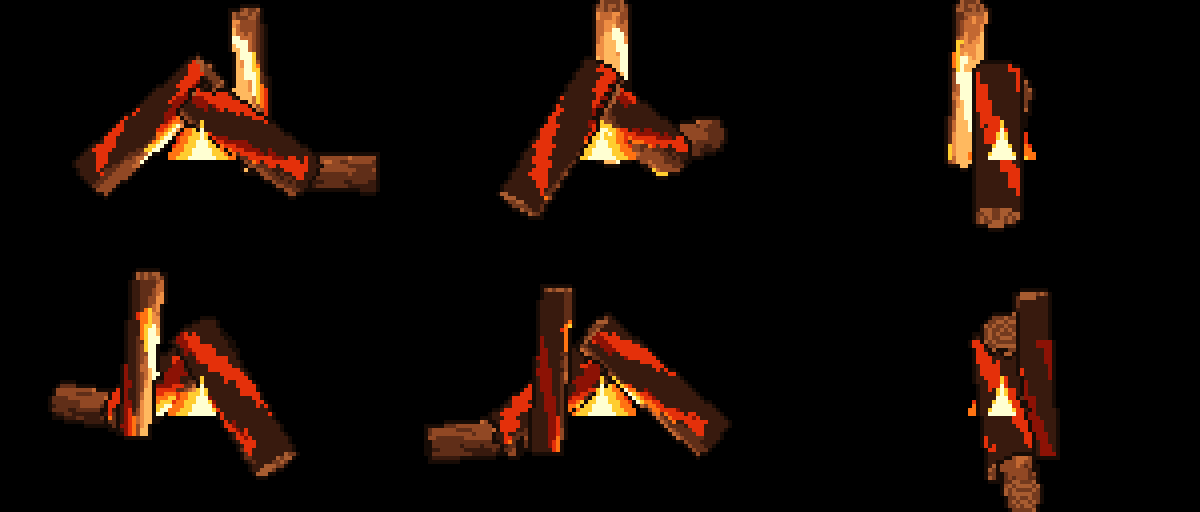
1. Geometry-Coupled Heat Sources: Flames only emit where fuel exists. We query the world-space heat of logs, kindling twigs, and the central ash bed. Only pixels with burning fuel inject thermal energy into the simulation base.
2. Buoyant Updraft: Hot air rises faster than cool air:
3. Lateral Wind & Turbulence: A pseudo-random vector field simulates turbulent vortex shedding and smoke drift:
Thermal energy decays stochastically as it ascends:
Hot Air Rises (y - 1)
       ▲
   [ 0.72 ]  <-- Heat decays & shifts laterally
       ▲
 [0.85] [0.92] [0.81]
       ▲
  ╔═════════════╗
  ║ Burning Log ║  <-- Fuel Source: T > Ignition
  ╚═════════════╝
Wood Thermodynamics & Structural Collapse

In classic mode, each wood log is subdivided into 10 independent longitudinal segments tracking Temperature, Moisture content, Structural mass, and Char layer thickness.
The combustion cycle follows 4 realistic physical stages:
- Drying Phase: Ambient heat boils away internal moisture. While moisture remains, segment temperature is clamped below ignition threshold and steam particles emit.
- Flaming Combustion: Once dry and above ignition threshold, combustion begins. Segments radiate heat to adjacent wood and spawn spark particles.
- Charring: As structural mass is consumed, wood turns from fresh bark to blackened char, then brittle white ash.
- Structural Failure & Gravity Collapse: If central segments burn away (mass < 20%), the log loses structural integrity. Kinematic angular acceleration collapses the upper logs into the embers bed.
Sub-Character Resolution: The 24-bit Half-Block ANSI Trick
Standard terminal character cells have an aspect ratio of roughly 1:2 (they are twice as tall as they are wide). If you print one character per simulation pixel, a circle looks like an elongated vertical oval.
To solve this without external graphics libraries, we exploit the Unicode upper half-block glyph ▀ (U+2580). In a single terminal cell, the top half represents pixel via ANSI foreground color, and the bottom half represents pixel via ANSI background color.
This effectively doubles the vertical resolution: an 80×24 terminal window renders at 80×48 individual TrueColor pixels.
To guarantee zero tearing and zero flicker, the entire frame is formatted into a single contiguous buffer (s_present_buf) and sent to the kernel in a single atomic write(STDOUT_FILENO, buf, len) syscall.
Audio from First Principles: The Pipe Buffer and the 503 Hz Ghost
Adding audio sounded like a quick 5-minute task. It wasn't. Playing audio in a terminal application without heavyweight dependencies like SDL2 or OpenAL turned into its own mini adventure.
A naive attempt like calling system("pw-play sound.wav &") is totally broken: spawning a subshell causes 30 ms frame drops, generates zombie processes (<defunct>) that pile up during a study session, and writing large audio chunks into Linux's default 64 KB pipe buffer can freeze the main render loop dead for 4.5 seconds waiting for the player to consume bytes.
To keep the render loop locked at 60 FPS without dropping frames or leaving zombies behind, I built a double-fork detached worker architecture:
Main C Render Loop (60 FPS)
  │
  ├─► fork() intermediate child  [Takes <0.05 ms]
  │     │
  │     ├─► fork() audio feeder grandchild
  │     │     │
  │     │     └─► exec("pw-play --raw ...")
  │     │
  │     └─► _exit(0)
  │
  └─► waitpid(child)  [Reaped instantly! Process reparented to PID 1]
      Loop continues at 60 FPS without zombie accumulation!
FFT Spectrum Hunting: Killing the 503 Hz Ethereal Drone
When I first extracted the Dark Souls bonfire ambient audio from game recordings, a friend on our Discord call immediately noticed that irritating ringing drone overpowering the crackle.
Running an FFT spectrum analysis on the audio clip revealed an enormous resonant spike at 503 Hz (musical pitch B4) — an ethereal choir hum from the Firelink Shrine background track.
I threw a parametric notch filter via FFmpeg to attenuate 503 Hz by -36 dB and its first harmonic at 251 Hz by -18 dB. The 503 Hz peak dropped by 97%, leaving only clean, warm ember crackles and low flame rumbles.
"O som do darksouls tem um som estranho de oooonnnnnnnnnnn que tá mt alto e meio chato, um barulho meio etereo."
ffmpeg -i input.wav -af "equalizer=f=503:width_type=q:w=3:g=-36,equalizer=f=251:width_type=q:w=2:g=-18" output.wavGapless Looping with Raw S16LE Streaming
When looping short audio clips, restarting a .wav player causes an audible 200–400 ms gap due to ALSA/PipeWire sink renegotiation.
The solution: launch pw-play --raw --rate=22050 --channels=1 --format=s16 - once. The feeder process keeps the pipe open and streams raw S16LE PCM chunks in an infinite circular buffer. When the sample index reaches the end, it wraps back to 0 instantaneously — resulting in seamless, click-free audio.
Multiplying samples in real-time by a volume factor also enables software volume scaling without touching system mixers.
const int16_t *src = (const int16_t *)assets_ds_fire_ambient_pcm;
size_t total_samples = assets_ds_fire_ambient_pcm_len / sizeof(int16_t);
float vol_factor = (float)volume_pct / 100.0f;

int16_t chunk[1024];
while (1) {
    size_t sample_pos = 0;
    while (sample_pos < total_samples) {
        size_t batch = total_samples - sample_pos;
        if (batch > 1024) batch = 1024;
        for (size_t i = 0; i < batch; i++) {
            chunk[i] = (int16_t)((float)src[sample_pos + i] * vol_factor);
        }
        write(audio_pipe[1], chunk, batch * sizeof(int16_t));
        sample_pos += batch;
    }
}
The Bug That Stole 9 Terminal Columns
One of the funniest visual bugs during development happened in the interactive settings menu: the top header box had width 66, but the options below had their right border shifted inward by exactly 9 characters, creating an unsightly notch.
By calculating visible columns:
Because lines are positioned using ANSI cursor escapes (\033[%d;%dH), printing 57 characters placed the right border at column start_c + 56 instead of start_c + 65. Every line was rewritten to guarantee exactly 64 inner columns between borders for 100% pixel-perfect borders.
Performance Benchmarks & Headroom
Out of curiosity, I instrumented the engine with monotonic nanosecond timers (clock_gettime(CLOCK_MONOTONIC)) to see where the frame budget actually goes at 60 FPS (16.6 ms budget):
| Stage | Average Time (ms) | Budget % (@ 60 FPS / 16.6 ms) |
|---|---|---|
| Physics & Cellular Fire | 0.42 ms | 2.5% |
| 3D Rasterization & Cel-Art | 0.88 ms | 5.3% |
| ANSI Frame Formatting | 0.35 ms | 2.1% |
| Kernel TTY write() | 0.18 ms | 1.1% |
| Total Engine Latency | 1.83 ms | 11.0% |
Experiments, Playdate, and Building for Fun
Writing a software rasterizer and cellular simulation in C99 without external engines or graphics libraries was one of the most fun and educational experiments I've tackled.
Handling raymarching, spherical camera math, cellular automata, and raw terminal VT100 sequences by hand gave me immense intuition for low-level graphics. Many of the mathematical optimizations and memory layout tricks I explored here are feeding directly into how I design graphics and physics routines for my upcoming Playdate game, where hardware constraints are real and every CPU cycle counts.
At the end of the day, programming shouldn't always be about optimizing business metrics or following convention. Sometimes the best projects are the ones you build simply because you love video games, love learning how things work under the hood, and wanted a cozy bonfire running while you study with your friends.